 4b453dca92
* remove keyboard-level instances of `MIDI_ENABLE = no`

Command:

```
find keyboards/ -type f -name 'rules.mk' -and -not -path '*/keymaps/*' -exec sed -i -e  '/^[ #]*MIDI_ENABLE[ \t]*=[ \t]*no/d' {} +
```

Co-Authored-By: Nick Brassel <nick@tzarc.org>

* fix case-sensitivity issues on MIDI_ENABLE

Change instances of `MIDI_ENABLE = YES` to `MIDI_ENABLE = yes`.

Command:

```
find keyboards/ -type f -name 'rules.mk' -and -not -path '*/keymaps/*' -exec sed -i -e 's;MIDI_ENABLE[ \t]*=[ \t]*[Yy][Ee][Ss];MIDI_ENABLE = yes;g' {} +
```

* replace `# MIDI controls` with `# MIDI support`

Replace `# MIDI controls` with `# MIDI support` in keyboard-level `rules.mk` files.

Command:

```
find keyboards/ -type f -name 'rules.mk' -and -not -path '*/keymaps/*' -exec sed -i -e 's;#[ \t]*MIDI[ \t]*\(controls\|support\).*;# MIDI support;g' {} +
```

* align inline comments

Aligns the inline comments to the length used by the QMK AVR rules.mk template.

Command:

```
find keyboards/ -type f -name 'rules.mk' -and -not -path '*/keymaps/*' -exec sed -i -e 's;MIDI_ENABLE *= *yes.*;MIDI_ENABLE = yes           # MIDI support;g'  {} +
```

* remove commented instances of `MIDI_ENABLE` from keyboard `rules.mk` files

Commands:

```
find keyboards/ -type f -name 'rules.mk' -and -not -path '*/keymaps/*' -exec sed -i -e 's;#\([ \t]*MIDI_ENABLE\) = yes; \1 = no ;' {} +
find keyboards/ -type f -name 'rules.mk' -and -not -path '*/keymaps/*' -exec sed -i -e 's;^\([ \t]*\)\(MIDI_ENABLE = no\);\2\1;' {} +
find keyboards/ -type f -name 'rules.mk' -and -not -path '*/keymaps/*' -exec sed -i -e '/^[ #]\+MIDI_ENABLE *= *no/d' {} +
```

* remove MIDI configuration boilerplate from keyboard config.h files

Co-authored-by: Nick Brassel <nick@tzarc.org>
xd002
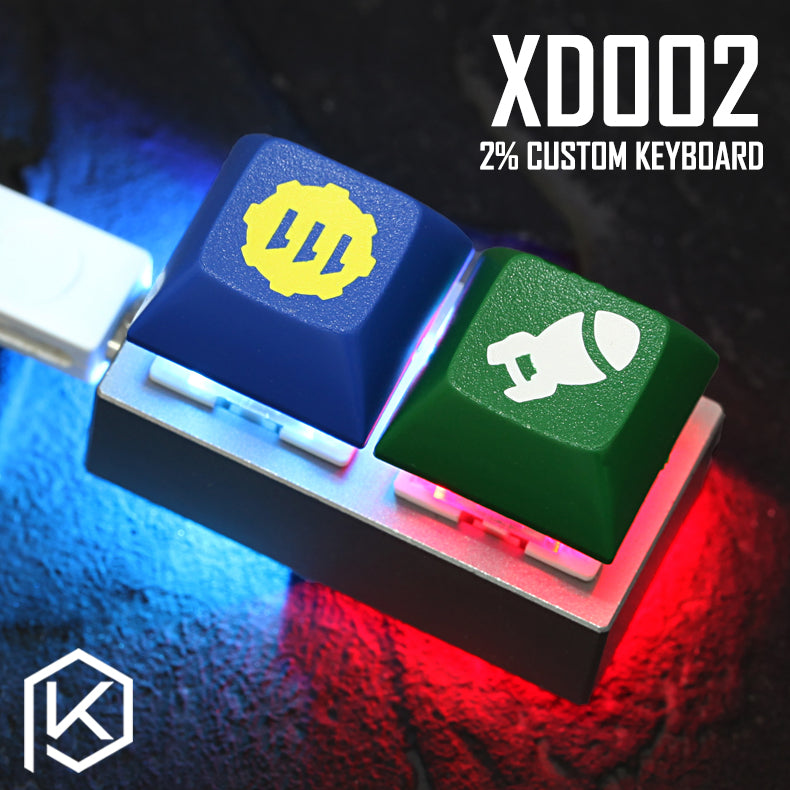
2% Custom mechanical keyboard. ATtiny85 powered, with 2*WS2812 LEDs, and the micronucleus bootloader.
Note: Due to limited firmware space, a lot of features have to be disabled to get a functioning QMK based keyboard.
- Keyboard Maintainer: zvecr
- Hardware Supported: xd002
- Hardware Availability: kprepublic
Make example for this keyboard (after setting up your build environment):
make xd002:default
See the build environment setup and the make instructions for more information. Brand new to QMK? Start with our Complete Newbs Guide.
Flashing
Prerequisites
git clone https://github.com/micronucleus/micronucleus.git
cd micronucleus/commandline/
sudo make install
On Linux, you’ll need proper privileges to access the MCU. You can either use sudo when flashing firmware, or place these files in /etc/udev/rules.d/. Once added run the following:
sudo udevadm control --reload-rules
sudo udevadm trigger
Instructions
Reset Key: Hold down key nearest to the USB socket while plugging in the keyboard.
make xd002:default:flash

# or directly with...
micronucleus --run <firmware.hex>